



THERE'S A PLACE FOR YOU IN THE PICTURE

Be in
the picture.

Choose a scene you love. Find your place in the frame. CoShot brings references, photography, and AI fusion into one creative flow.

Made for iPhone · Scene photography & AI portrait fusion

Built-in CoShot reference scene: a portrait beside a sunlit river
Keep a little of the lightCoShot
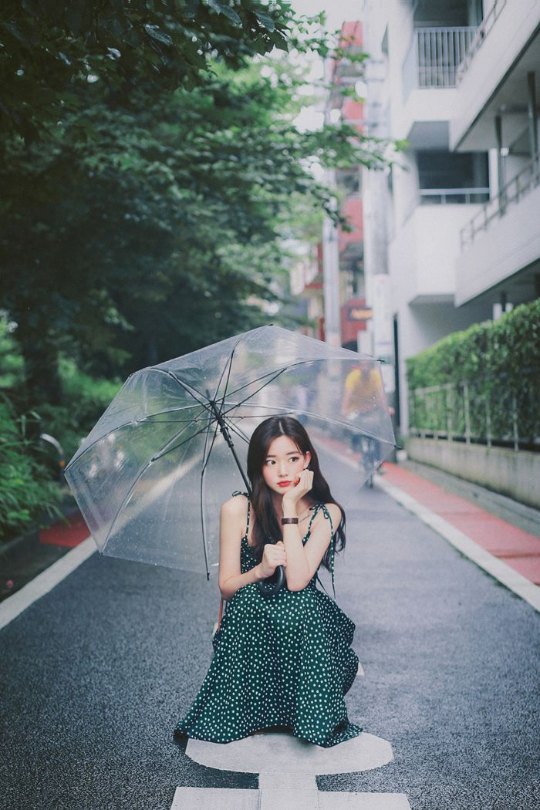
Built-in CoShot reference scene: an umbrella portrait on a quiet street
Next time, your scene

Built-in App scenes, shown as composition examples.

01A scene of your own02Take turns, together03Camera looks04The photo globe

A SCENE OF YOUR OWN / SOLO

A little inspiration.
A place to begin.

Start with a photo you love. Turn “I'd like a shot like that” into a few clear steps.

FROM REFERENCE TO YOUR OWN PHOTO

This illustrates references and outlines. It is not a live camera or an actual AI-generated result.

Built-in CoShot two-person reference scene in front of a warm festive shop windowBuilt-in two-person scene

TAKE TURNS, TOGETHER / RELAY

Take turns.
Keep the moment
together.

Photograph one person, swap the phone, then photograph the other. CoShot brings the two shots together, so the person behind the camera can be in the picture too.

Photograph one personSwap and shoot

AI combines the two shots. Results depend on lighting, poses, and the reference scene.

BEYOND THE SHUTTER / EXPLORE

A different color.
A different way to see.

Find the color of the moment.

Explore looks inspired by documented cameras and film stocks. Preview, shoot, and adjust on your iPhone, or import a photo and compare it with the original.

Looks are processed on device and approximate a visual style; they do not reproduce original camera hardware or proprietary processing.

Let the world inspire the next shot.

Move from a globe to a street map. Explore photos around the world, nearby, and in your own collection. Turn a scene you like into your next reference.

My Photos can read location data from your photo library. This diagram illustrates browsing, without showing user locations.

ONE ACCOUNT, MORE TO CREATE

Part of your
iTool collection.

Use the same iTool account in CoShot. Yearly membership includes CoShot access, with no activation code to enter.

TRY THE CREATIVE FLOW3 free AI fusions a day

Preview looks, take photos, import images, and compare originals for free. Original images can be exported free of charge.

ITOOL YEARLY MEMBERSHIPUnlock CoShot access

Active access includes unlimited AI fusion and saving photos with color effects. Monthly membership does not include CoShot.

Explore yearly membership

See the iTool membership page and the App for current prices, payment methods, and your account's access.

A FEW THINGS TO KNOW

Before you
take the shot.

What kinds of photos is CoShot for?

Use a reference to guide a portrait, put yourself in a scene you love, or take turns with a friend and create a shared photo. AI results vary; clear outlines and suitable lighting help guide the shot.

Does everything happen on my iPhone?

Camera color looks are processed on device. AI scene fusion needs an internet connection and submits the required images to the fusion service. See the iTool privacy policy below for account and membership data.

Do I need to buy again if I have iTool membership?

If your account already has active CoShot access, sign in with that same account. iTool yearly membership includes CoShot. Monthly membership includes its listed products, but does not include CoShot.

Where can I download CoShot?

This introduction page does not yet provide a download link. You can explore the features and photography flow here; a confirmed download destination will be added when available.

The scenery is lovely.
Leave a little room for you.

See the photography flow again